








Creating a comfortable and efficient home office can significantly impact your workday, productivity, and overall well-being. Whether you’re working remotely full-time or use your home space occasionally, setting up a cozy and productive environment helps reduce stress and improve focus. Here’s a detailed guide with tips to help you design a home office that works for you.
Choose the Right Location
Find a Quiet Space
Start by selecting a spot in your home that is quiet and free from distractions. It doesn’t necessarily need to be a separate room, but the area should allow you to concentrate without constant interruptions.
Consider Natural Light
If possible, pick a location near a window. Natural light boosts mood and energy, making it easier to stay alert. Position your desk so that the light falls from the side to reduce screen glare.
Invest in Ergonomic Furniture
Comfortable Chair
A good chair supports your back and encourages proper posture. Look for adjustable chairs with lumbar support to avoid discomfort during long working hours.
Functional Desk
Choose a desk that fits your space and work style. If you use multiple devices or need extra space for notes and materials, opt for a larger desk. Adjustable desks that allow you to switch between sitting and standing can be beneficial as well.
Organize Your Workspace
Declutter Regularly
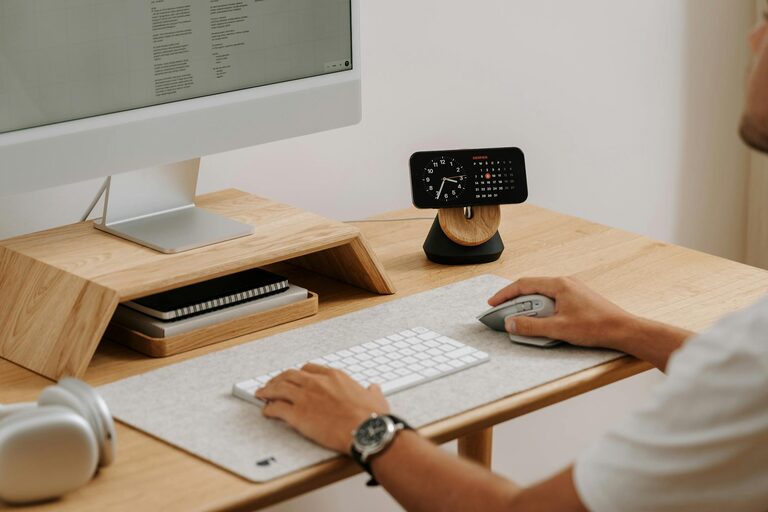
Keep your desk tidy to reduce stress and distraction. Store documents, supplies, and equipment efficiently with organizers, shelves, or drawers.
Digital Organization
Maintain a clean computer desktop and organize your files consistently. Use folders and naming conventions that help you quickly locate what you need.
Personalize Your Space
Add Cozy Elements
Incorporate soft cushions, throws, or a small rug to make the environment warm and inviting. These touches can enhance comfort and make your workspace feel like your own.
Bring in Greenery
Plants not only improve air quality, but they also add life and color to your office. Choose low-maintenance indoor plants that thrive in your space’s light conditions.
Manage Lighting
Use Layered Lighting
Combine natural light with task lighting such as a desk lamp for focused work. Soft ambient lighting can make the entire room cozier.
Avoid Harsh Glare
Position light sources to prevent direct glare on your screen or eyes, which can cause fatigue.
Minimize Noise
Use Noise-Canceling Options
If background noise is unavoidable, consider noise-canceling headphones or white noise machines to help maintain concentration.
Soundproofing
Adding rugs, curtains, or acoustic panels can help reduce echo and absorb external sounds.
Maintain a Consistent Routine
Set Working Hours
Having set hours helps you mentally separate work and personal time, leading to better balance.
Take Breaks
Incorporate short breaks into your schedule to rest your eyes, stretch, or move around. This keeps energy levels up and prevents burnout.
Utilize Technology Wisely
Reliable Equipment
Ensure you have a dependable computer, internet connection, and necessary peripherals like printers or external monitors.
Productivity Tools
Use planning apps, timers, or focus tools to stay on task and manage your workflow effectively.
Enhance Air Quality and Comfort
Ventilation
Good airflow helps keep you alert and comfortable. Open windows when possible or use air purifiers to maintain fresh air.
Temperature Control
Adjust your space’s temperature to a comfortable setting. Having a fan or heater nearby can help regulate personal comfort.
—
By following these tips, you can create a home office environment that feels both cozy and productive. A thoughtfully arranged space supports your focus, promotes well-being, and helps you enjoy your work-from-home experience. Start small and adjust your setup over time to find what best suits your unique needs.