









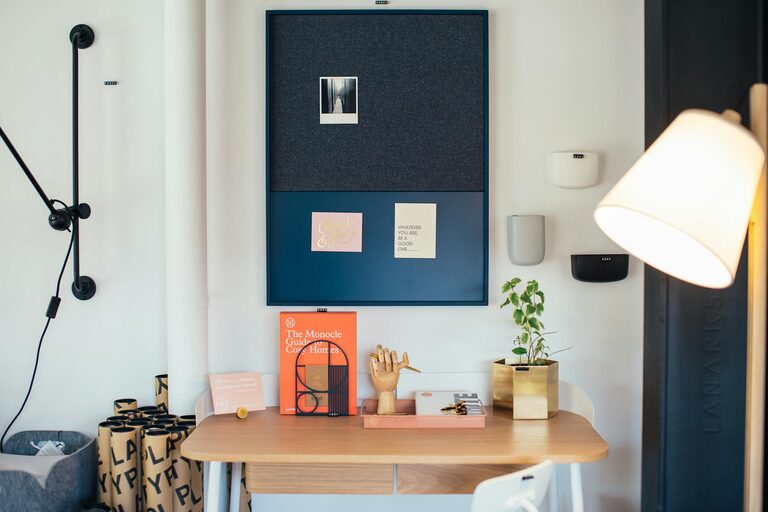
Creating a cozy and functional home workspace is essential for anyone who works from home or spends significant time on personal projects. A well-designed space can boost your productivity, improve focus, and make your workday more enjoyable. Whether you have a dedicated room or a small corner, these tips will help you set up a workspace that feels inviting and supports your daily tasks.
Choose the Right Location
Consider Lighting
Natural light is a key factor in creating a welcoming workspace. Try to position your desk near a window to take advantage of daylight. This not only reduces eye strain but also helps keep your mood positive throughout the day. If natural light is limited, invest in quality lighting such as a desk lamp with adjustable brightness or warm LED bulbs.
Minimize Distractions
Select a spot where you can focus with minimal interruptions. Avoid high-traffic areas of your home, such as the living room or kitchen, if possible. If noise is an issue, noise-canceling headphones or a white noise machine can help create a calm atmosphere.
Prioritize Ergonomics
Invest in Comfortable Seating
Since you’ll likely spend many hours sitting, a comfortable, supportive chair is a must. Look for chairs with adjustable height and good lumbar support to maintain healthy posture and avoid back pain.
Set Up Your Desk Appropriately
Your desk should be at a height where your elbows form a 90-degree angle when typing or writing. Keep your monitor at eye level to reduce neck strain. Consider a standing desk or a convertible sit-stand option if you want to alternate positions throughout the day.
Organize for Efficiency
Use Smart Storage Solutions
Clutter can make any area feel chaotic. Use shelves, drawers, hooks, or baskets to keep your office supplies, documents, and gadgets neatly organized. Labeling storage containers can make it easier to locate items quickly.
Keep Essential Items Within Reach
Place frequently used tools—like pens, notebooks, and chargers—within arm’s reach to keep your workflow smooth. Avoid overcrowding your desk by removing unnecessary items.
Personalize Your Space
Add Comforting Elements
Incorporate soft textures such as a cozy rug, plush cushions, or a warm blanket. These can add a sense of comfort, making your workspace feel more inviting.
Decorate Thoughtfully
Choose decorations that inspire and motivate you. This might include framed photos, artwork, plants, or a vision board. Plants, in particular, can improve air quality and add a natural touch to your area.
Manage Cables and Technology
Tidy Up Cables
Use cable organizers, clips, or sleeves to keep cords neat and prevent tangling. A tidy setup reduces distractions and hazards, making your workspace cleaner and safer.
Optimize Your Tech Setup
Ensure your computer, printer, and other devices are positioned for easy access and visibility. Keep chargers plugged in and ready to use, and update your equipment regularly to avoid technical interruptions.
Maintain a Healthy Routine
Take Regular Breaks
Even in the coziest workspace, it’s important to step away periodically. Short breaks help reduce eye strain and boost circulation. Consider techniques like the Pomodoro method, alternating work periods with brief rest.
Keep Hydrated and Nourished
Set up a spot nearby for water and healthy snacks. Staying hydrated and energized supports focus and general well-being throughout the day.
Final Thoughts
Designing a cozy and functional home workspace is about balancing comfort with practicality. Start with the location, incorporate ergonomic furniture, stay organized, and personalize the area to suit your style. With a little thoughtful planning, you can create a space that makes working from home a pleasant and productive experience.