









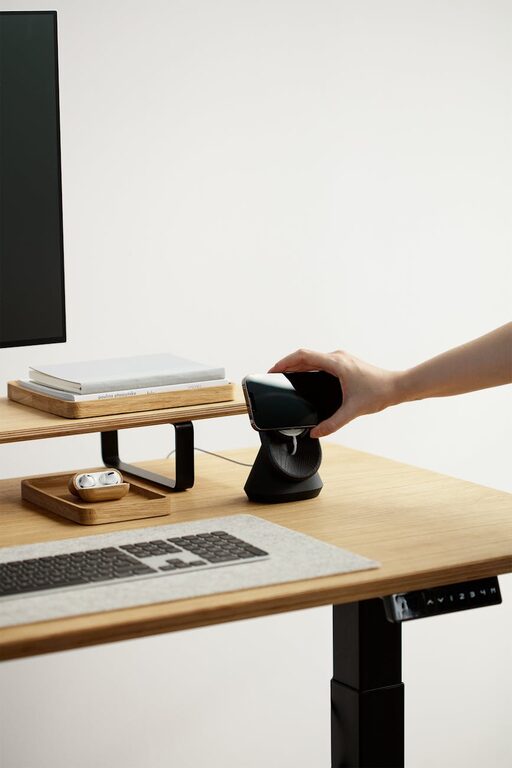
Creating a clutter-free home office can boost your productivity, reduce stress, and help you focus better. Whether you’re working remotely, managing personal projects, or just need a dedicated spot for bills and paperwork, having an organized space makes a big difference. Here are some simple tips to help you organize your home office efficiently and enjoyably.
Why Organize Your Home Office?
A cluttered office can be distracting and overwhelming. When your desk is piled with papers, gadgets, and miscellaneous items, it’s harder to find what you need. Organizing your space enhances your workflow, saves time searching for documents, and creates a calm environment that helps you concentrate.
Start with Decluttering
Before organizing, it’s important to declutter. Go through everything in your office space and decide what you really need.
– Sort items into categories: Keep, recycle, donate, or discard.
– Limit your supplies: Only keep office tools and materials you regularly use.
– Clear the surface: A clean desk instantly makes your space more inviting.
Remember, less is more. A minimalist approach often leads to better organization.
Optimize Your Desk Setup
The desk is the heart of your home office. Keeping it tidy helps maintain a productive atmosphere.
– Use trays or organizers: Keep pens, paper clips, and sticky notes in containers to reduce mess.
– Limit desktop items: Only keep the essentials such as your computer, a notebook, and a lamp.
– Cable management: Use clips or cable ties to keep cords from tangling under and around your desk.
Arrange your items so that everything you use most frequently is within easy reach.
Create Dedicated Storage Solutions
Proper storage helps keep your office materials organized and easy to access.
– Shelves and drawers: Use shelves for books and binders, and drawers to store smaller items.
– File organizers: Sort important papers into labeled files or folders.
– Use vertical space: Wall-mounted shelves or pegboards help free up desk space.
Choose storage that fits your needs and complements your room’s style to maintain a pleasant work environment.
Establish a Paper Management System
Paper clutter is one of the most common issues in home offices.
– Go digital where possible: Scan documents and store them electronically to reduce physical piles.
– Set up incoming and outgoing trays: Separate new mail or documents you need to process from papers you need to file or send out.
– Schedule regular sorting sessions: Take a few minutes each week to organize and discard unnecessary papers.
Keeping papers under control helps avoid chaos and lost documents.
Maintain Good Lighting and Airflow
A clutter-free office isn’t just about objects; your environment matters too.
– Natural light: Position your desk near a window if possible for natural daylight.
– Quality lighting: Use a combination of ambient and task lighting to reduce eye strain.
– Air circulation: Keep your space feeling fresh and comfortable with proper ventilation.
A well-lit and fresh environment can improve mood and productivity.
Personalize Without Cluttering
Adding personal touches can make your office feel welcoming, but be mindful of not overcrowding your space.
– Choose a few meaningful items: Photos, plants, or artwork that inspire you.
– Avoid too many ornaments: Limit décor to avoid distractions.
– Incorporate functional accessories: A stylish calendar or a neat corkboard can personalize while helping you stay organized.
Striking a balance between personality and simplicity keeps your space both enjoyable and tidy.
Create Daily Organization Habits
Organization is an ongoing process. Create habits that help maintain your clutter-free office.
– End-of-day clean-up: Spend 5–10 minutes tidying your desk before finishing work.
– Weekly review: Check and update your files and supplies regularly.
– Put things back promptly: Avoid stacking items by returning them to their place after use.
These small habits prevent clutter buildup and keep your workflow smooth.
Use Tools and Apps to Stay Organized
Technology offers great tools to complement physical organization.
– Task management apps: Help keep your to-do lists and project deadlines organized.
– Note-taking apps: Digital notes can replace paper sticky notes.
– Cloud storage: Securely store and access documents from anywhere.
Combining digital tools with physical organization creates a streamlined office experience.
—
By following these simple tips, you can transform your home office into a clutter-free space that encourages focus and productivity. Remember, organizing is not a one-time event but a continual practice that pays off with time and effort. Enjoy your neat and inspiring workspace!