









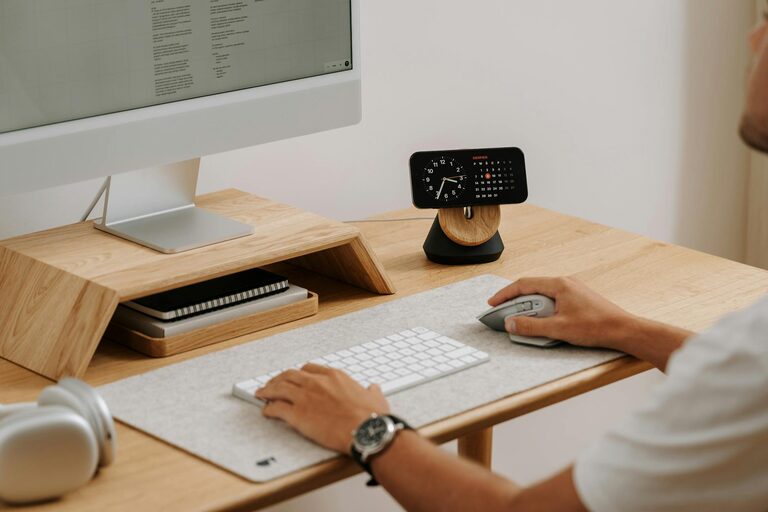
Creating a productive home workspace can make a significant difference in how effectively you work throughout the day. Whether you work remotely full-time or occasionally bring work tasks into your home, having a dedicated, well-organized space helps maintain focus, reduce distractions, and increase efficiency. Here are some simple tips to help you design a productive home workspace that suits your needs.
1. Choose the Right Location
Consider Natural Light and Quietness
Select a spot in your home that receives plenty of natural light if possible. Sunlight helps boost mood and concentration. Avoid high-traffic or noisy areas where distractions are frequent, such as near the kitchen or living room.
Space and Comfort
Ensure the space you choose accommodates your work essentials like a desk, chair, and computer comfortably. If space is limited, consider a multi-purpose area that can be tidied away easily after work.
2. Invest in Ergonomic Furniture
A Good Chair
A supportive chair that encourages proper posture is crucial. Look for adjustable chairs that provide lumbar support, as sitting for long periods can strain your back.
Desk Setup
Your desk should be at a comfortable height, allowing your arms to rest naturally while typing. If possible, arrange your screen at eye level to avoid neck strain.
3. Keep Your Workspace Organized
Declutter Daily
A cluttered desk can negatively impact your focus. Make it a habit to tidy your workspace at the end of each workday.
Storage Solutions
Use drawers, shelves, or organizers to keep office supplies, documents, and cables neatly stored but easy to reach. Labeling storage containers can help you find items quickly.
4. Minimize Distractions
Technology Management
Turn off non-essential notifications on your phone and computer during work hours. Consider apps or settings that block distracting websites when you need to concentrate.
Background Noise
If household noise is unavoidable, use noise-cancelling headphones or play soft instrumental music to help maintain focus.
5. Personalize and Make It Inspiring
Add Personal Touches
Incorporate elements that motivate you, such as artwork, plants, or photos. Indoor plants can also improve air quality and add a calming presence.
Color and Lighting
Use colors that make you feel energized or calm, depending on your work style. Adjustable lighting options allow you to suit different times of day or tasks.
6. Establish a Routine
Dedicated Work Hours
Set clear start and end times for your workday to maintain a healthy work-life balance. This helps separate work time from personal time.
Breaks and Movement
Schedule short breaks to stretch and move around. This prevents fatigue and keeps your mind fresh.
7. Use Technology Wisely
Essential Tools
Equip your workspace with the necessary technology, such as a reliable computer, high-speed internet, and any specialized software for your role.
Backup and Security
Regularly back up important files and keep your workspace secure to avoid data loss and maintain privacy.
8. Maintain Good Air Quality and Temperature
Ventilation
Make sure your workspace is well-ventilated. Fresh air can enhance alertness and comfort.
Temperature Control
Keep the room at a comfortable temperature; neither too hot nor too cold to avoid distraction.
—
Creating an efficient home workspace doesn’t have to be complicated. By focusing on a comfortable setup, minimizing distractions, and keeping your space organized, you can greatly improve your productivity and enjoy your work-from-home experience. Start small and adjust your space as needed based on what helps you feel your best throughout the day.